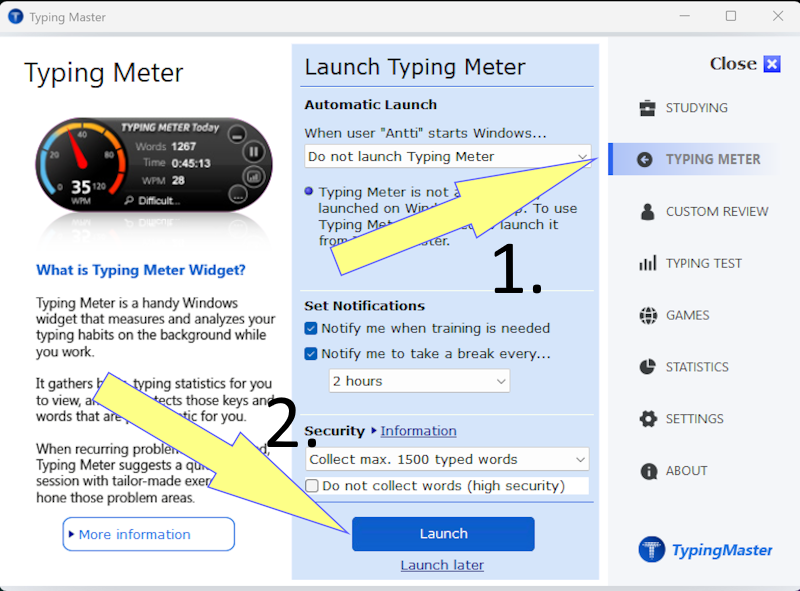
TypingMaster 12 Premium includes a Typing Meter Widget. It tracks your typing in the background even when TypingMaster is closed. You can write emails or other documents and get statistics on your typing, which helps you focus on practicing more difficult letters.
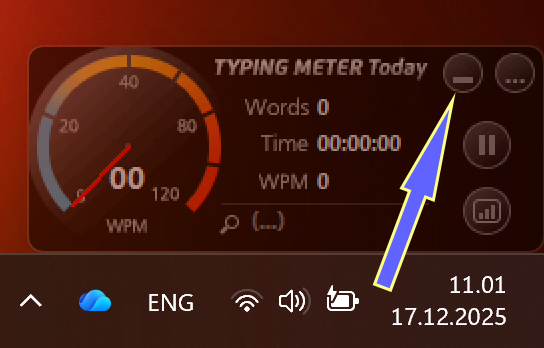
Typing Meter appears at the bottom of your desktop. If the box is in your way, you can close it using the underscore in the top-right corner of the box, which will hide it:
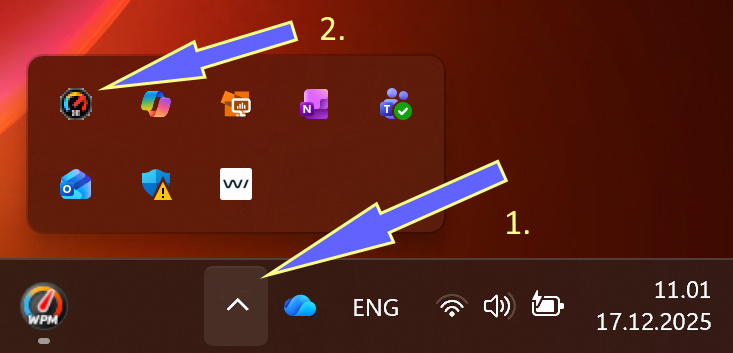
If you can’t restore the Meter from the taskbar icon, click the Show hidden icons arrow (upward arrow) in the lower-right corner of your screen:
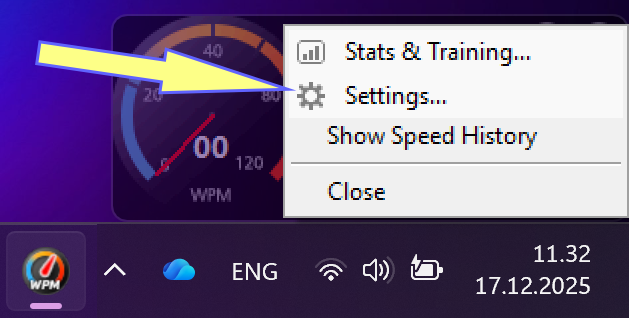
Then go to Settings:
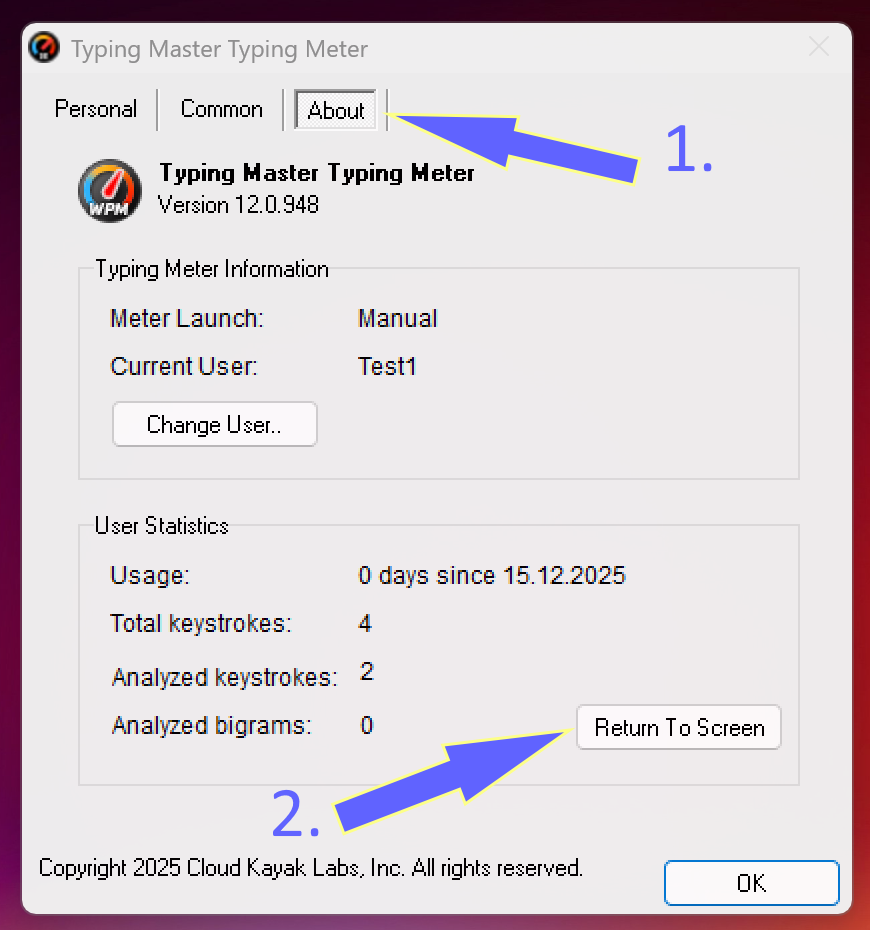
Then click About tab. From that tab, click the Return to Screen button, and Typing Meter will reappear at the bottom of your screen:
Was this article helpful?
That’s Great!
Thank you for your feedback
Sorry! We couldn't be helpful
Thank you for your feedback
Feedback sent
We appreciate your effort and will try to fix the article