1. What is TypingMaster and can it be used for Hindi typing?
TypingMaster is a popular typing tutor software designed to improve typing speed and accuracy. While it is primarily known for English typing, you can also use it to practice Hindi InScript typing by selecting the appropriate course and settings.
2. Which version should I download?
It is recommended to download the latest TypingMaster version 12.01 from the official support page. This ensures you have the most up-to-date features, bug fixes, and compatibility for Hindi typing practice.
3. How do I install TypingMaster?
- Go to the official TypingMaster support/download page.
- Download TypingMaster version 12.01.
- Run the installer and follow the on-screen instructions.
- Once installed, launch the application.
4. Do I need to create a new user account?
Yes, for best results:
- Open TypingMaster 12 after installation.
- Create a new user profile.
- This helps track your progress specifically for Hindi typing practice.
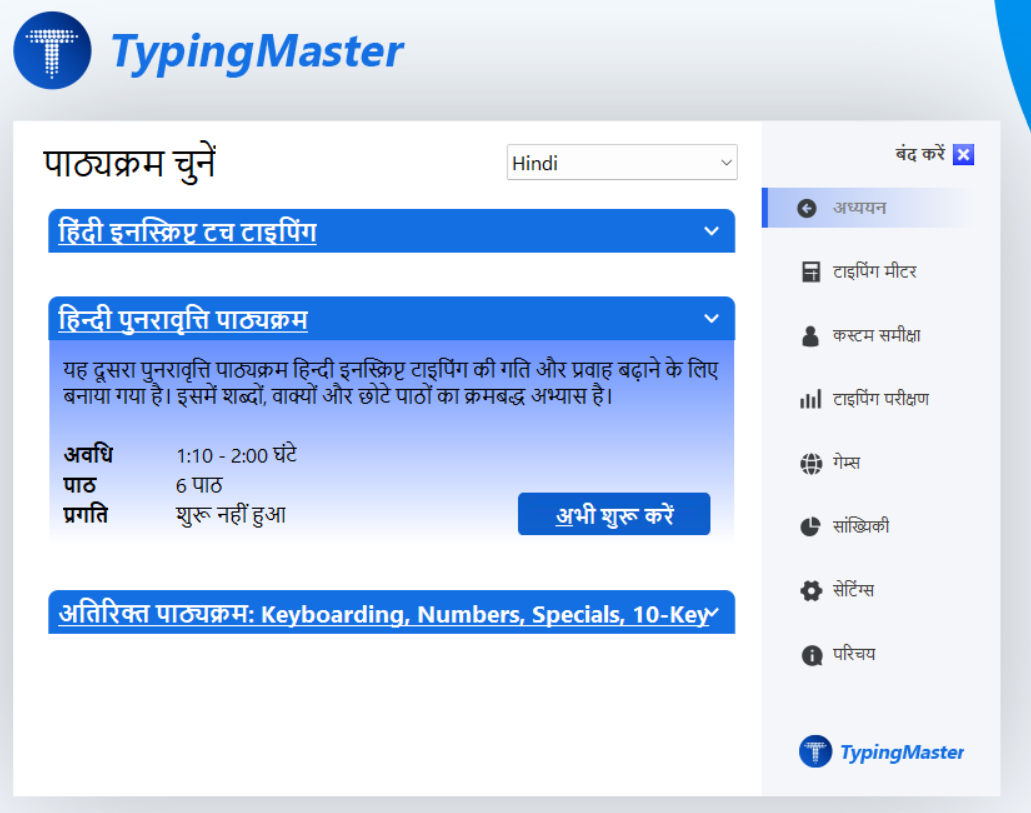
5. How do I select Hindi typing in TypingMaster?
After creating a new user:
- Choose Hindi typing as your preferred typing profile or
choose Hindi from course settings list. - Start practicing.
6. What keyboard layout should I use for Hindi typing?
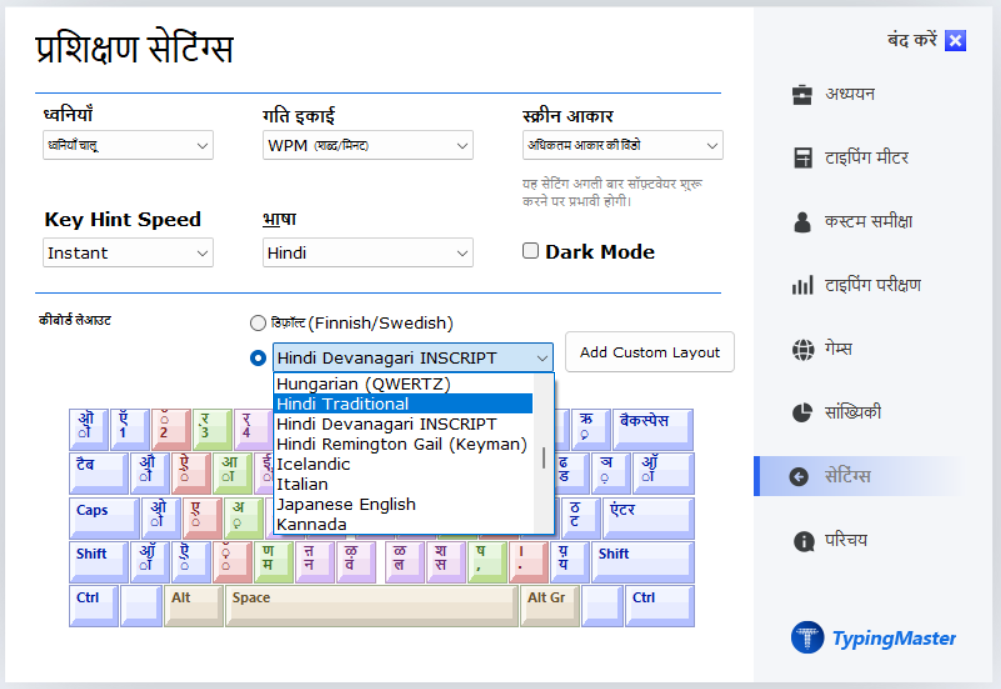
You should use a Hindi keyboard layout such as:
- InScript
- Devanagari
Make sure your system language settings are configured for Hindi input before starting practice.
7. How can I improve my Hindi typing speed?
- Practice daily using TypingMaster lessons.
- Focus on accuracy first, then speed.
- Use repetition exercises to memorize key placements.
- Take typing tests regularly to track improvement.
8. Are there any tips for beginners?
- Start slowly and learn the key positions.
- Avoid looking at the keyboard while typing.
- Practice common Hindi words and sentences.
- Be consistent—short daily sessions are more effective than long irregular ones.
9. Can I track my progress?
Yes, TypingMaster provides:
- Speed (WPM/CPM) tracking
- Accuracy reports
- Progress charts
These help you monitor your improvement over time.
10. Is TypingMaster free?
TypingMaster offers a free 7 days full trial with all features. After 1 week period, full access may require a paid version, depending on the features you want to use.
By downloading TypingMaster 12.01, creating a new user profile, and selecting Hindi typing, you can effectively begin your journey toward mastering Hindi typing skills.
Was this article helpful?
That’s Great!
Thank you for your feedback
Sorry! We couldn't be helpful
Thank you for your feedback
Feedback sent
We appreciate your effort and will try to fix the article